
Print Quality Issues
If your prints have lines, streaks, or other quality issues, a drum cartridge may be the cause. Follow the steps below to check your current drum levels.
Common Signs of a Drum Issue
- Lines or streaks across the page.
- The lines may resemble the color of the drum that is going bad.
- Prints may appear faded, repeated, or spotted.
Important to Know
A drum can go bad before it reaches its expected end of life. A remaining-life percentage alone cannot confirm whether a drum is working properly.
Check Your Drum Levels
On your Xerox AltaLink touchscreen, follow these steps:
Open the Device App
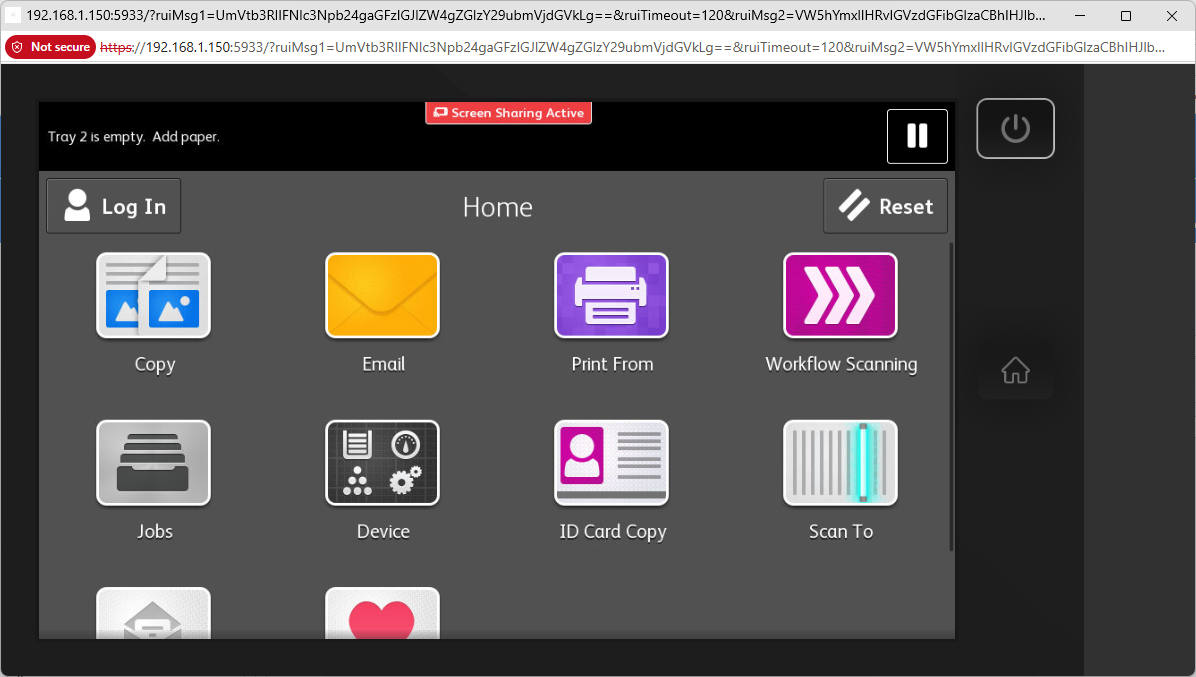
From the Home screen, select Device.
Select Supplies
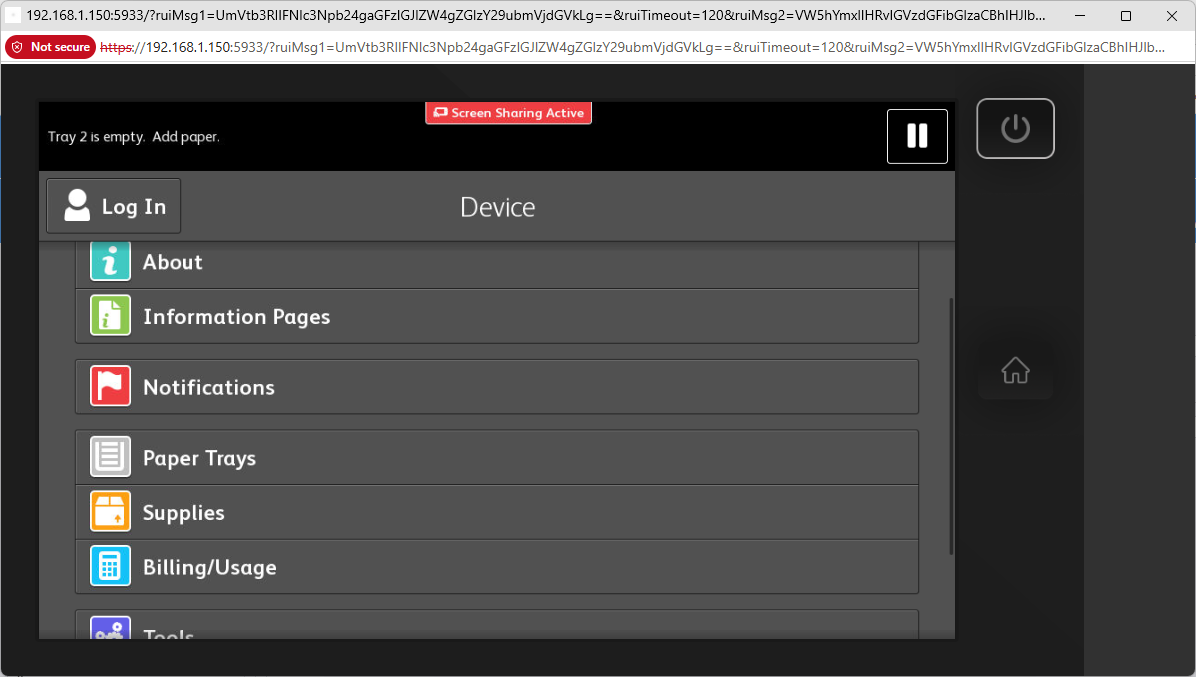
In the Device menu, choose Supplies.
View Other Supplies
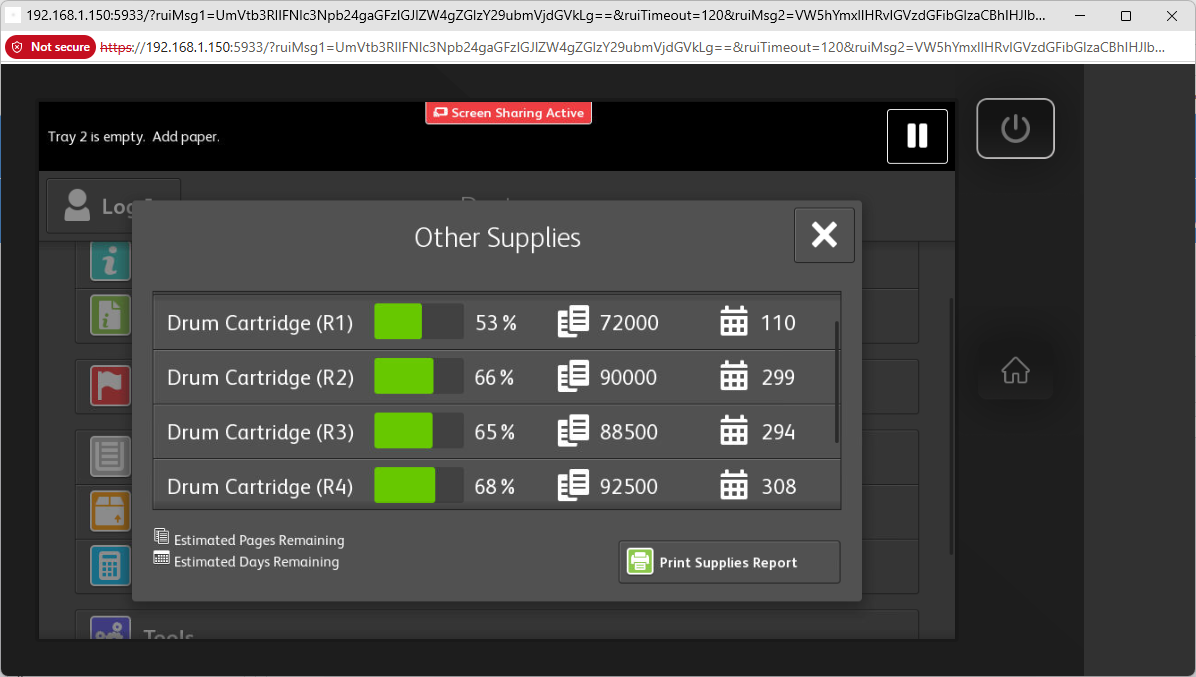
Open Other Supplies and scroll to view all four drum levels.
Drum Color Identification
All four replacement drum cartridges are the same type, but their color designation depends on the slot where they are installed.
If a Drum Needs to Be Replaced
- Replacing a faulty drum can sometimes correct print-quality issues immediately.
- Identify the correct R1–R4 slot before removing anything. Although the drums are interchangeable, each slot corresponds to a different color.
- Follow the instructions included in the replacement drum box.
Need Help?
If you're unsure which drum is causing the issue, or you're new to Xerox equipment, contact the service hotline before replacing a drum unnecessarily. They can help determine whether a replacement is the best next step.
If replacing the drum doesn't solve the issue, Xerox can dispatch a service technician to investigate.
Find Your Service Hotline →On our Service & Supplies page, enter your machine's serial number (SN) to find the correct service hotline.