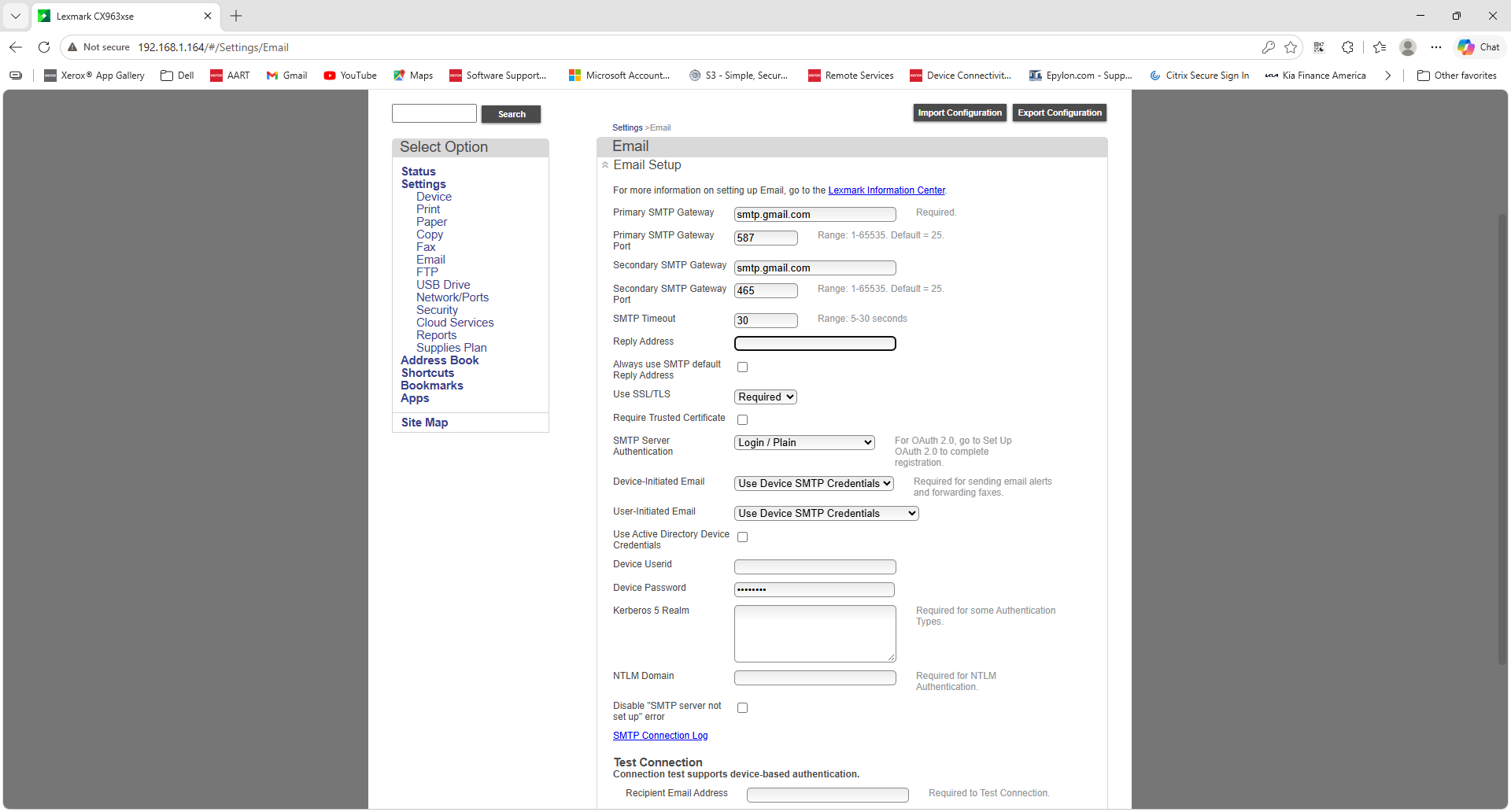
1Update Email Credentials on the Xerox
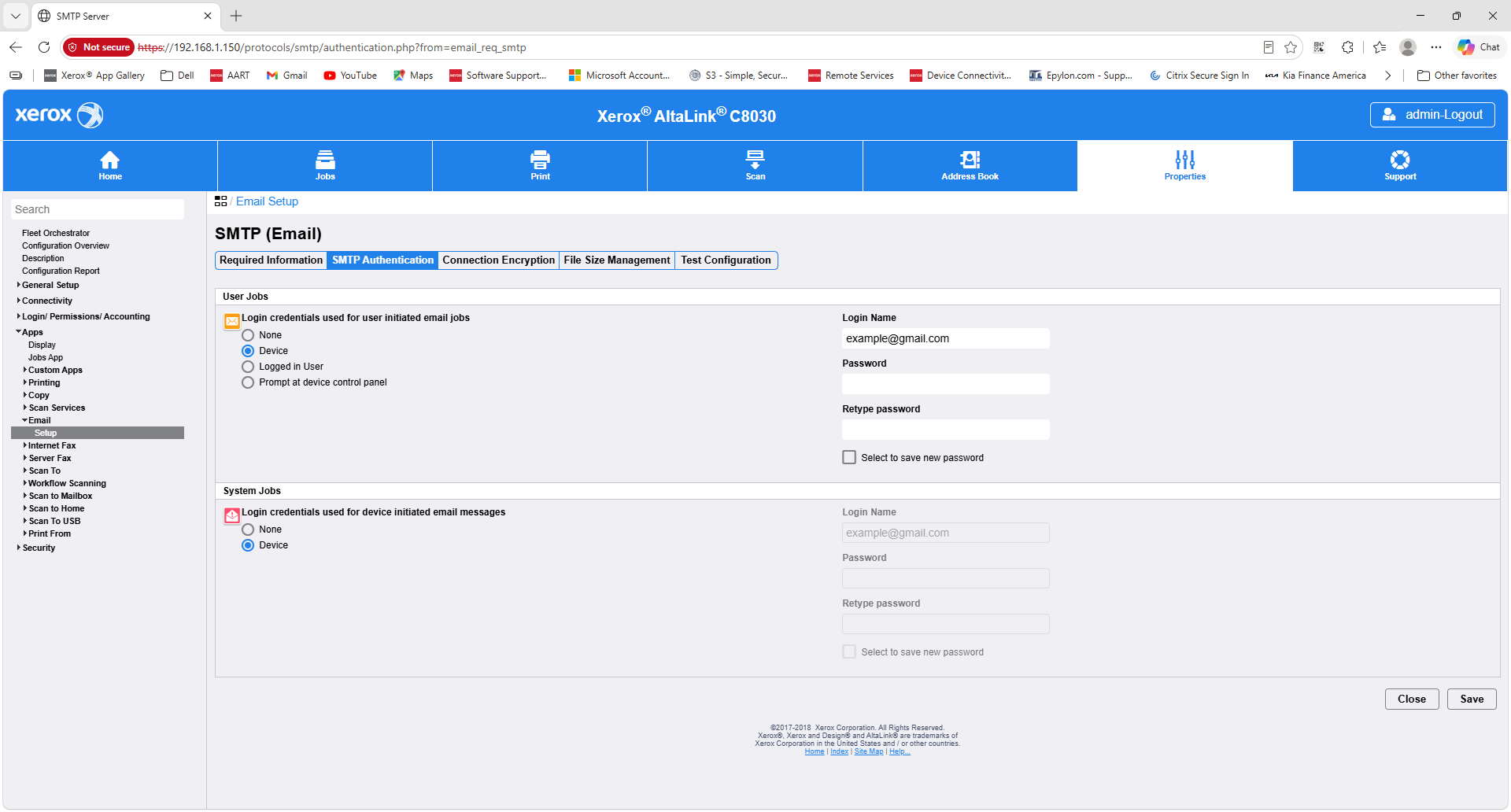
Follow the steps below to update the email credentials on the Xerox device. Select the screenshot to view the full page at a larger size.
1
Open Email Setup.
From the web interface, go to Apps > Email > Setup.2
Update the credentials.
Under User Jobs, enter the correct Login Name, Password (or app password), and Retype Password.3